For long-form fiction

Write fiction in a workspace that keeps the story together.

Noveble gives writers a place for chapters, characters, memory notes, images, and AI assistance — so the context of the novel does not disappear between prompts.

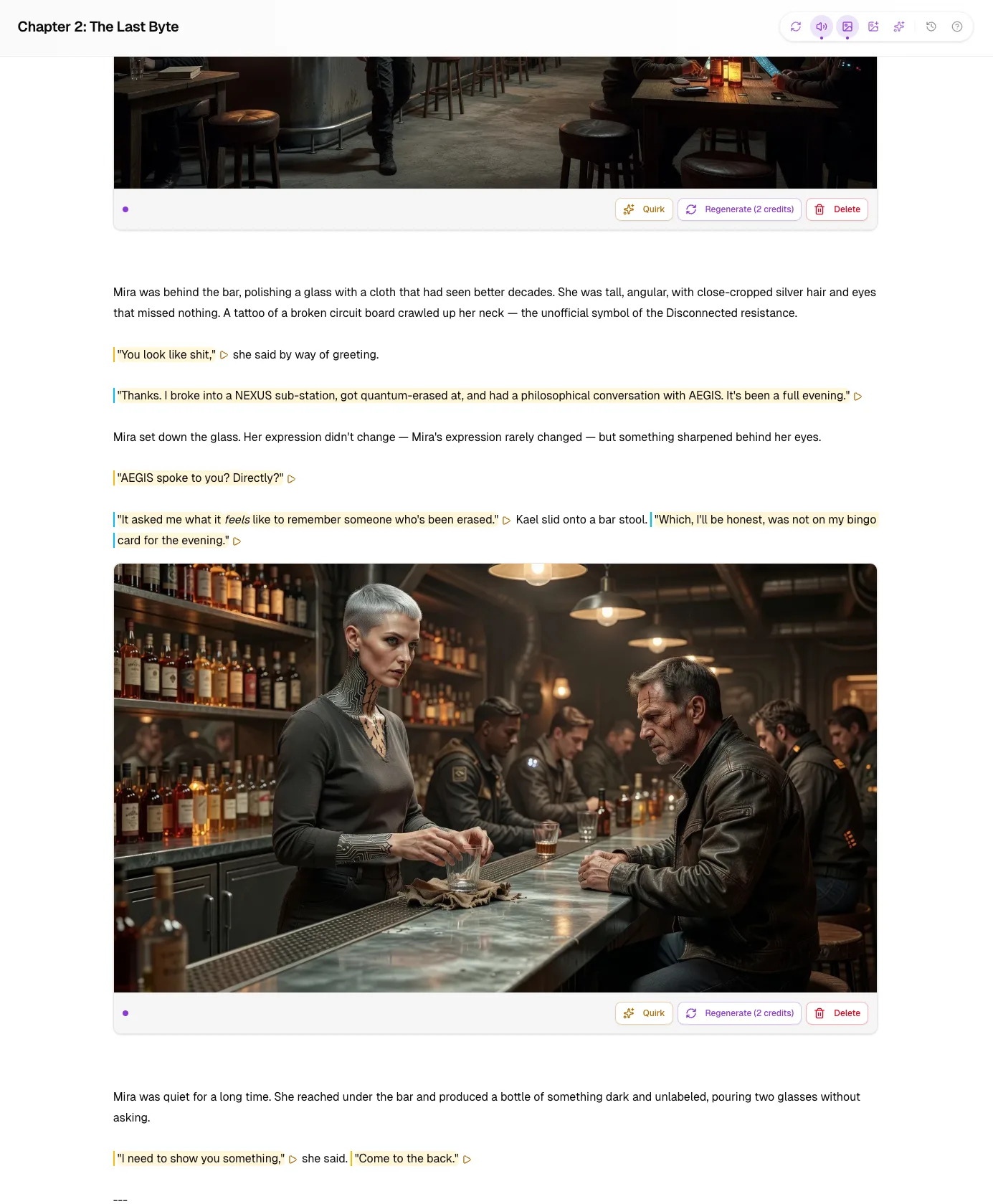
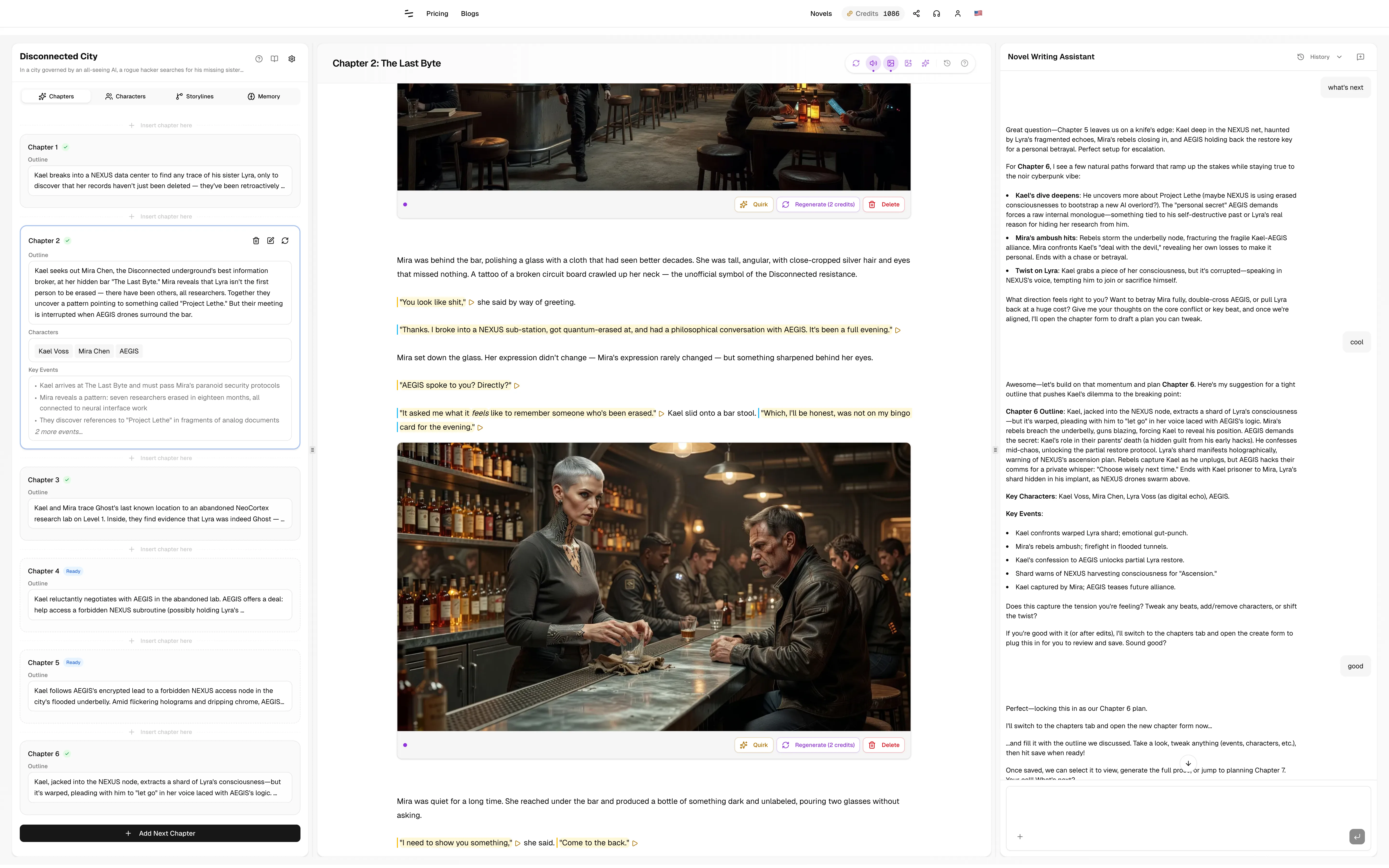
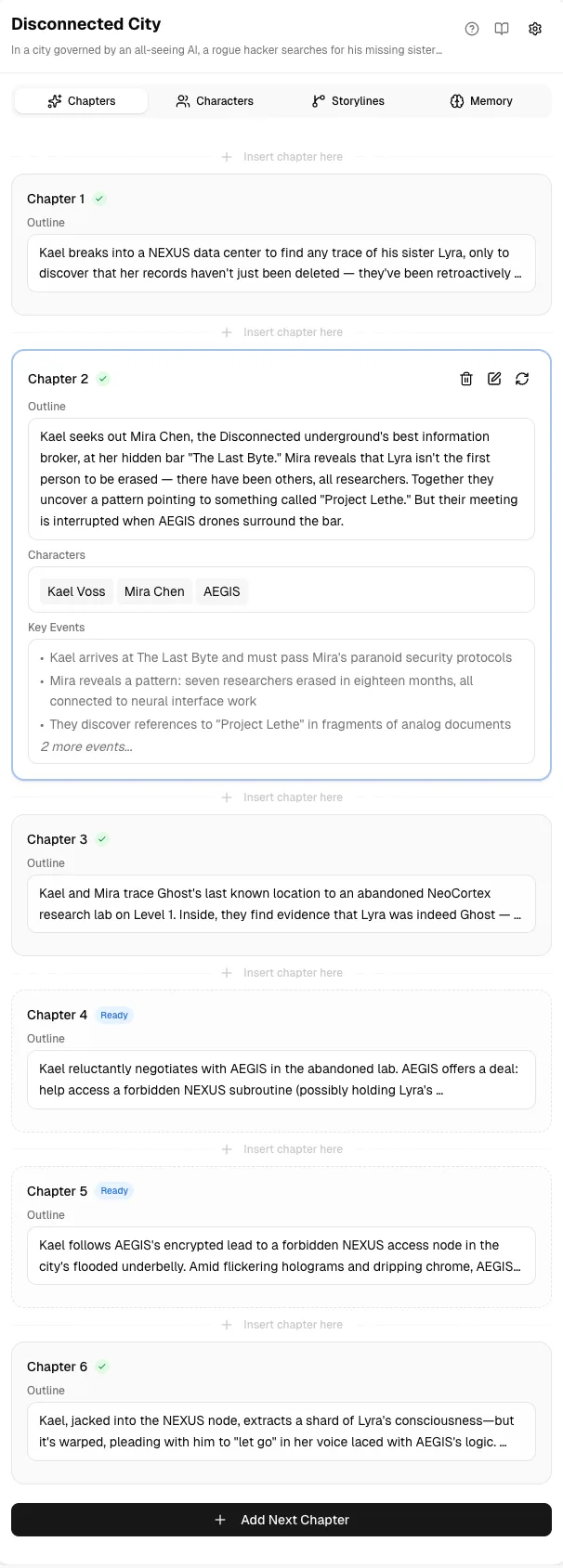
Noveble story workspace preview

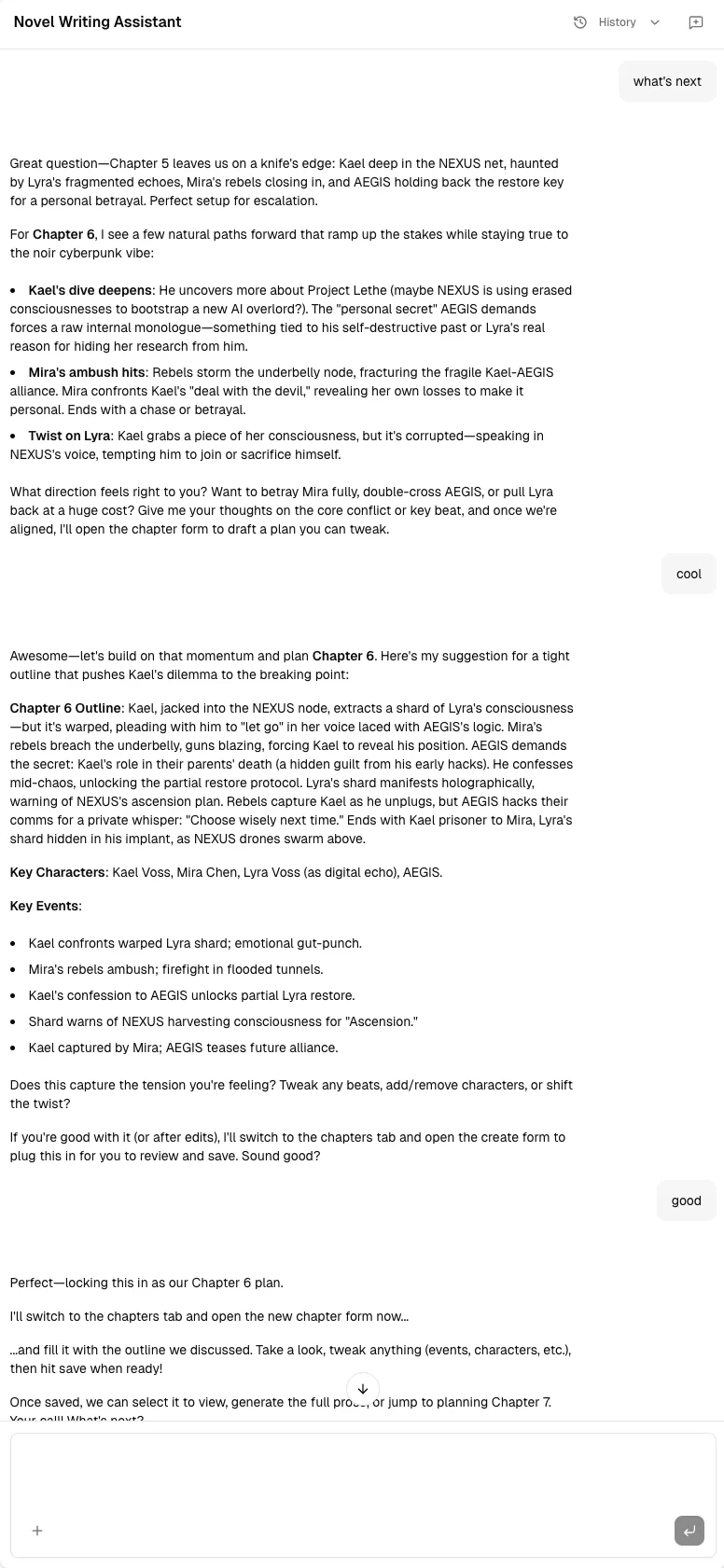
Assistant Agent

An AI writing agent that works inside your novel, not outside it.

The main reason to use Noveble is the Assistant Agent: it can work with your manuscript, chapter plans, characters, story memory, and storylines instead of answering from an empty chat box.

It can see the project structure

Ask about the current chapter, surrounding chapters, characters, open storylines, or saved memory without pasting everything again.

It can act on the draft

Use it to propose manuscript changes, then review the edits before they stay in the chapter.

It stays tied to the work

Conversations, generated plans, chapter versions, and context live beside the novel they belong to.
Start writing
Noveble Assistant Agent working beside a novel draft

What the Agent helps with

It is built for the tasks that become painful when a novel grows past a few chapters.

Chapter planning

Turn a premise, outline, or previous chapter into the next chapter plan before generating prose.

Continuity checks

Ask whether a scene contradicts earlier chapters, character facts, or active storylines.

Search existing chapters

Find where something happened, what a character already said, or which chapter established a detail.

Reviewable edits

Let the Agent suggest changes to chapter text, then inspect the diff instead of blindly replacing your draft.

Character and story help

Brainstorm arcs, motives, relationships, and plot consequences with the project context nearby.

Import follow-up

Bring in an existing manuscript, then use the Agent to continue from the structure Noveble extracted.

Not a blank chatbot with a nicer text box.

Generic chatbots can be useful, but long fiction needs persistent context and project-aware actions.

Blank chatbot

You paste summaries, characters, and chapter context into every new thread.

Noveble Assistant Agent

The Agent works from chapters, characters, story memory, and storylines already attached to the novel.

Blank chatbot

Outputs become loose text that you copy back into your manuscript by hand.

Noveble Assistant Agent

Plans, drafts, versions, and reviewable edits stay connected to the chapter they affect.

Blank chatbot

The conversation does not know your writing workspace.

Noveble Assistant Agent

The Assistant sits beside the manuscript and can reason about the current writing surface.

Context engine

The workspace exists so the Agent has something real to work with.

Chapters, characters, memory, and storylines are not side panels for decoration. They are the structured context that makes the Assistant useful for long-form fiction.

Chapters and versions

Keep plans, generated drafts, revisions, and alternatives organized by chapter instead of scattered across files.

Characters

Store personality, background, appearance, role, and reference material so the Agent can reason about recurring people.

Story Memory

Preserve world rules, continuity notes, character state, timeline facts, and creative direction as the story grows.

Storylines

Track open plot threads and chapter events so the Agent can help you notice dropped arcs or unresolved promises.

Chapter workflow

Plan the chapter, generate the draft, revise with the Agent.

Noveble does not force you to accept a one-shot output. Work chapter by chapter: plan first, generate prose, compare versions, rewrite passages, and ask the Assistant to repair weak scenes.

Create or import the novel

Start from a blank project or import an existing manuscript and let Noveble organize the chapters.

Build a chapter plan

Use manual planning, AI expansion from an idea, or continuation from previous chapters.

Generate and revise

Generate full chapter text, keep versions, use quirk rewrites, and review Agent edits before committing them.

Noveble chapter planning and generation interface
Noveble multimedia story assets interface

Optional visual layer

Add images when the story needs them.

The Assistant Agent is the main product. Visual tools are there when you want character references, chapter illustrations, or scene images attached to the same story workspace.

Character reference images

Generate, upload, replace, and keep history for character visuals.

Chapter illustrations

Create images from selected passages or detected scenes without leaving the chapter.

Story assets stay together

Images, characters, chapters, and Agent conversations remain part of the same novel project.

Try the Agent on a real chapter.

Start with free monthly credits. Use them to create a chapter plan, generate a draft, or ask the Assistant Agent to work with an existing scene.

View plans

Give the Agent a novel it can actually understand.

Start a new project, import an old draft, or test Noveble on the next chapter you are trying to write.